
People searching what channels are on CatchON TV want to know whether the service includes the specific local, sports, movie, news, children’s, or international content they watch.
CatchON TV publishes broad channel categories covering sports, movies, series, news, and international programming. However, an advertised category or total channel count does not guarantee that every channel is available permanently, in every location, or through every plan and application.
The most reliable buying method is to create a list of your essential channels, check the current channel page, confirm availability with support, and test the service on the device you intend to use.
Start with the current CatchON TV channel page and verify the categories that matter to your household.
Table of Contents
Table of Contents
CatchON TV Channel Categories
A useful channel list should organize content by viewing purpose rather than presenting one large number.
US television
This category may include national networks, regional stations, entertainment channels, news, lifestyle programming, children’s content, and other US-focused categories.
Local availability should be verified by city, state, or affiliate. A network name alone does not confirm that the specific local feed you need is included.
Sports programming
Sports categories can contain league-focused feeds, regional sports content, international competitions, special-event channels, replays, and pay-per-view categories.
Availability can change because of schedules, regional restrictions, source conditions, plan differences, or event-specific arrangements.
Movies and series
Entertainment categories may include live movie channels, television-series channels, themed categories, and video-on-demand libraries.
The presence of a movie category does not guarantee that a particular title, release, language, subtitle, or audio track is available.
News
News categories may contain domestic, international, business, weather, and regional news sources.
Customers should check whether they need a specific local feed, national feed, or international version.
Children and family
Family categories can include animation, educational programming, preschool content, and general family entertainment.
Parents should verify whether the selected application supports parental controls. These controls are usually managed through the player rather than the channel package itself.
International television
International categories can be organized by country, region, or language. Examples may include European, Latin American, Arabic, African, Asian, Canadian, British, and other regional content.
Exact availability varies, so language and country requirements should be stated clearly when contacting support.
Channel Availability Comparison
| Content requirement | What to verify | Why verification matters | Best testing method |
|---|---|---|---|
| US local station | City and affiliate | Local feeds differ by market | Test the exact station |
| National network | Correct feed and schedule | East and West feeds may differ | Compare current program |
| Live sports | League, event and region | Coverage changes by event | Test during a live game |
| Movie channel | Exact channel and quality | Category names can be broad | Open several streams |
| International TV | Country and language | Packages differ by region | Search the language category |
| Children’s content | Channel and parental control | Player features vary | Test PIN protection |
| News | Local, national or international feed | Similar names can represent different feeds | Compare logo and schedule |
| 4K stream | Event, source and device support | Not every stream is 4K | Check playback information |
| EPG | Channel schedule data | EPG coverage can be incomplete | Refresh and compare schedule |
| VOD title | Name, language and subtitles | Libraries change over time | Search during the test |
Do not purchase a long subscription based only on the total channel count. Test the specific channels, live events, language categories, EPG data, and video quality your household actually uses.
What Channels Are on CatchON TV for US Viewers?
US customers often require a combination of national networks, local affiliates, sports, news, entertainment, movies, children’s channels, and Spanish-language programming.
The main difficulty is local coverage. Two customers in different states may request the same national network but need different local affiliates.
Before subscribing, write down:
- Your city or television market.
- Required local affiliates.
- Preferred national news channels.
- Regional sports requirements.
- Children’s channels.
- Spanish-language or international needs.
- Preferred movie and entertainment categories.
Send this list to support instead of asking whether the service has “US channels.” A broad confirmation may not answer your actual question.
Sports Channels and Live Events
Sports access is one of the main reasons users evaluate IPTV subscriptions. It is also one of the areas where vague marketing claims create the most confusion.
Do not ask only whether “sports are included.” Specify the league, team, event, region, commentary language, and device you intend to use.
A useful sports verification request might say:
“I need access to my regional team coverage, national broadcasts, and selected international events. Please confirm which current category contains them and whether they can be tested before I purchase a long plan.”
Live sports should be tested during a real high-demand event. A channel that opens correctly in the morning may behave differently during a major evening broadcast because network and source demand can change.
No service can guarantee zero buffering. Playback depends on your home connection, Wi-Fi, application, device hardware, stream resolution, network congestion, and source performance.
Movie and Entertainment Channels
Live entertainment channels provide scheduled programming, while VOD libraries allow viewers to choose a title directly.
These are separate features. A service may have a large VOD section but lack a specific live movie channel, or it may provide live channels without the on-demand title you want.
When evaluating movies and series, check:
- Video resolution.
- Audio language.
- Subtitle availability.
- Correct episode order.
- Poster and title accuracy.
- Search functionality.
- Resume playback.
- Recently added organization.
- Parental controls.
- Audio and video synchronization.
VOD libraries can change. Avoid publishing or relying on a fixed title count unless the number is regularly verified.
International Channels
International content is often grouped by country or language. This makes category organization important, especially when the playlist contains a large number of entries.
Customers should specify whether they need:
- A particular country.
- A regional version of a channel.
- Original-language audio.
- English subtitles.
- A specific sports commentary language.
- Children’s content in a particular language.
- News from a specific region.
A label such as “Arabic,” “French,” “Spanish,” or “UK” may contain several subcategories. Verify that the playlist organization is usable on your selected application.
VOD, EPG and Catch-Up Features
A channel list is only one part of the viewing experience.
Video on demand
VOD provides selectable movies and episodes. Availability, subtitles, languages, metadata, and quality can differ between titles.
Electronic program guide
An EPG displays scheduled programs and times. EPG data may not be available for every channel, and it can occasionally require a manual refresh.
An empty EPG does not always mean the channel is unavailable. The stream and guide data can come from different sources.
Catch-up television
Catch-up allows certain previously aired programs to be replayed. It should not be assumed to exist for every channel.
Confirm which channels support catch-up, how many previous days are stored, and whether the selected application displays the feature correctly.
HD, Full HD and 4K Availability
Resolution labels should be treated as source descriptions rather than universal guarantees.
A channel labeled HD may use different compression, frame rate, and bitrate from another HD channel. Picture quality can therefore differ even when both use the same label.
4K playback requires several elements to align:
- A genuine 4K source.
- A plan that provides access to that stream.
- A 4K-compatible device.
- A 4K-compatible television.
- A player capable of decoding the format.
- Sufficient internet bandwidth.
- Stable Wi-Fi or Ethernet.
- An HDMI connection that supports the required format.
Channel and 4K availability can vary by plan, source, device, application, location, internet connection, and event.
Do not describe the complete service as 4K simply because some streams may carry a 4K label.
Device Compatibility and the Channel List
The same account can appear differently across applications. One player may display country folders, logos, search, favorites, and EPG correctly, while another may have limited navigation.
A large playlist can be difficult to use on an older Smart TV with limited memory. A Firestick or Android TV device may provide faster searching, but performance still depends on the model and available storage.
Before buying, check whether the player supports:
- Xtream Codes or the supplied login method.
- M3U playlists when required.
- EPG import.
- Favorites.
- Channel search.
- Category hiding.
- Parental controls.
- External players.
- Hardware decoding.
- Multiple profiles.
The CatchON TV app guide explains the normal relationship between the player, subscription, login details, EPG, connections, and device compatibility.
How to Verify a Channel Before Buying
Create an essential-channel list
Limit the first list to the channels and categories that directly affect your decision. Separate essential content from optional content.
Check the published channel page
Use the CatchON TV channel page to identify the available categories. Do not assume that every historical listing remains current.
Contact support
Provide the exact channel name, location, language, event, or local affiliate. Ask for a current confirmation rather than a general promise.
Confirm the correct application
Use the CatchON TV tutorial to identify the application and installation route for your device.
Use a trial or short plan
Confirm the current trial duration, price, content access, and connection limit. Test on the actual television or streaming device you will use.
Test during normal viewing hours
Check the service at the time you normally watch. Sports users should include at least one live event when possible.
Verify the EPG
Compare the displayed program schedule with the live broadcast. Refresh the EPG if the channel works but the guide is empty.
Confirm long-plan suitability
Only move to a longer subscription when the required channels, device, application, network, and support process meet your expectations.
Choosing a Plan Based on Channels
One connection is enough when only one person streams at a time. It does not matter how many categories or channels are included.
Two or more connections are needed when several people will watch different channels simultaneously.
A sports-focused household may value live-event stability and regional coverage more than the total VOD count. A multilingual household may prioritize country organization and search. A family may prioritize children’s categories and parental controls.
The correct plan should therefore be selected around usage, not around the largest advertised number.
Review the CatchON TV subscription form after confirming your content and device requirements.
Missing-Channel Troubleshooting
A missing channel can have several causes. Diagnose the scope of the problem before changing application settings.
One channel is unavailable
The source may be temporarily offline or replaced. Test another channel in the same category and report the exact name to support.
An entire category is missing
Refresh the playlist or live-TV section. Confirm that the category was not hidden through the player’s parental-control or category-management settings.
The channel opens but has no EPG
Refresh the EPG separately. Check the application’s date, time zone, and EPG settings.
Every channel fails
Confirm the internet connection, account expiration, username, password, server address, and connection limit. Restart the router and streaming device.
The stream buffers
Test the device’s internet speed, use Ethernet where possible, reduce stream quality, close background applications, restart the router, and compare several channels.
The application crashes
Clear the cache, free storage, restart the device, update the application, or use the alternative player recommended by support.
Use the CatchON TV support page when the problem continues after basic checks.
Conclusion: What Channels Are on CatchON TV?
The answer to what channels are on CatchON TV cannot be reduced to one permanent number. The site presents categories covering sports, movies, series, news, international television, and other programming, but exact availability can change.
Build a short list of essential channels, verify the current categories, confirm local or event-specific requirements, and test the service on your intended device. Also examine EPG coverage, application navigation, language options, resolution, and evening performance.
Check the current CatchON TV channel list, then compare the available subscription plans after your required content has been confirmed.
Frequently Asked Questions
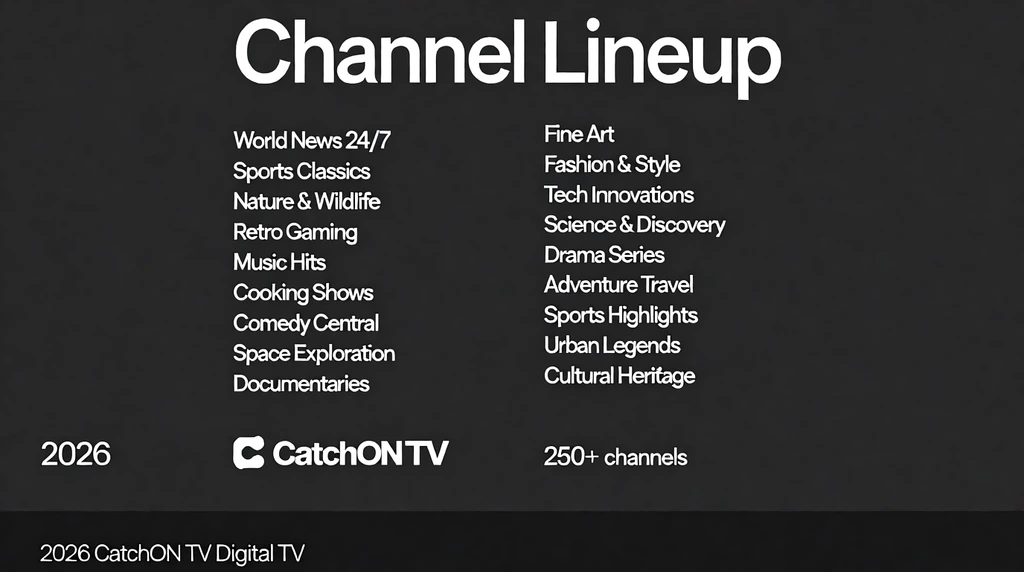
What channels are on CatchON TV for US customers?
The site advertises broad US and international categories. Exact local, national, sports, movie, news, and regional feeds should be confirmed through the current channel page or support.
Does CatchON TV include local channels?
Local-channel availability can differ by city, state, market, and source. Provide the exact affiliate and location when requesting confirmation.
Does CatchON TV have sports channels?
Sports categories are advertised, but individual leagues, regional feeds, events, and commentary languages can change. Test the events that matter to you.
Are all CatchON TV channels available in 4K?
No universal 4K assumption should be made. Resolution varies by stream, event, source, device, application, plan, location, and internet connection.
Does CatchON TV include movies and series?
The service advertises live entertainment and on-demand categories. Specific titles, seasons, languages, subtitles, and resolutions can change.
Why is a CatchON TV channel missing?
Possible causes include a source interruption, playlist refresh issue, hidden category, expired account, connection-limit conflict, application problem, or temporary maintenance.
Does every CatchON TV channel include EPG data?
Not necessarily. A channel can play while its guide data is unavailable or outdated. Refresh the EPG and confirm the application’s time-zone settings.
How can I check a channel before purchasing?
Review the current channel page, contact support with the exact channel name, confirm the trial conditions, and test the channel on your intended device during normal viewing hours.
