
If you are wondering how much does CatchON TV cost, the total depends mainly on the subscription duration and the number of simultaneous connections you select. A one-screen monthly plan normally costs less upfront, while a longer plan can reduce the effective monthly price.
The correct plan is not automatically the cheapest one. It is the plan that supports your device, required channels, internet connection, viewing habits, and number of active screens without forcing you to purchase capacity you will not use.
CatchON TV currently provides an order page where customers can select the subscription duration, device, and number of connections before submitting their details. Prices and promotions can change, so the amount displayed on the live order page should be treated as the current total.
Ready to compare the available options? Review the current CatchON TV subscription plans and confirm the duration, connection count, supported device, and final payment amount before ordering.
Table of Contents
Table of Contents
What Determines the CatchON TV Price?
The CatchON TV subscription cost is influenced by more than the length of the plan. Before comparing totals, understand exactly what each option is designed to cover.
Subscription duration
Short plans require a smaller initial payment and give you more flexibility. They are useful when you are still evaluating channel availability, application behavior, customer support, and performance on your home network.
Longer subscriptions can offer a lower equivalent monthly cost. However, a lower monthly average only represents good value when the service already works correctly on your device and includes the content categories you actually need.
Number of simultaneous connections
A connection normally means one active stream at a time. It does not necessarily mean the number of devices on which you can install an IPTV application.
For example, you might install a compatible player on a Firestick, Smart TV, and Android phone. A one-connection subscription would generally allow only one of those devices to stream at a given moment.
A household where two people regularly watch different channels at the same time should consider two connections. Buying one connection and repeatedly attempting to open multiple streams can cause login conflicts or playback errors.
Device and application
Your streaming device may affect the total setup cost. CatchON TV can be used through supported applications or IPTV players, but some third-party players charge a separate activation or subscription fee.
That player fee is not always included in the IPTV provider subscription. Confirm whether the recommended application is free, paid once, or billed periodically before choosing your plan.
Required content
Do not choose a plan based only on a large advertised channel number. Your real requirement may be much smaller: specific US local channels, selected sports categories, children’s programming, international content, or a reliable electronic program guide.
Channel availability can change by source, package, device, application, location, and technical conditions. Check the current CatchON TV channel page and request confirmation when a particular channel is essential.
CatchON TV Plan Comparison
The following comparison explains the practical differences between common subscription durations. It does not replace the live price shown during checkout.
| Plan type | Upfront commitment | Main advantage | Main limitation | Suitable for |
|---|---|---|---|---|
| Short trial or test | Very low | Compatibility testing | Limited evaluation period | New users checking one device |
| One month | Low | Maximum flexibility | Higher monthly equivalent | First full subscription |
| Three months | Moderate | Balance of flexibility and value | Longer commitment than monthly | Users who completed testing |
| Six months | Higher | Lower effective monthly cost | More money committed upfront | Regular viewers |
| Twelve months | Highest | Potentially lowest monthly equivalent | Greatest commitment | Established customers |
| Multi-connection plan | Varies | Simultaneous household viewing | Higher total price | Families and shared households |
The best value is not determined by the longest duration alone. It depends on whether the service has already passed your compatibility, channel, EPG, support, and network tests.
Reduce the risk before selecting a long plan. Confirm the required channel categories, install the recommended application, test playback during the hours when you normally watch, and verify that your remote control and EPG work correctly.
How Many Connections Do You Need?
One connection is usually appropriate for an individual who watches on one screen at a time. The application may be installed on several devices, but only one active stream should be used unless the plan explicitly includes additional connections.
Two connections are useful when two members of a household frequently watch different content simultaneously. For example, one person may watch sports on a living-room television while another watches a movie on a tablet.
Three or more connections should be selected only when simultaneous use is expected. Purchasing extra connections simply because several devices exist can increase the price unnecessarily.
Before paying, define the maximum number of screens that will be actively streaming at the same moment. This produces a more accurate decision than counting every phone, television, and streaming device in the home.
Monthly Versus Long-Term Subscriptions
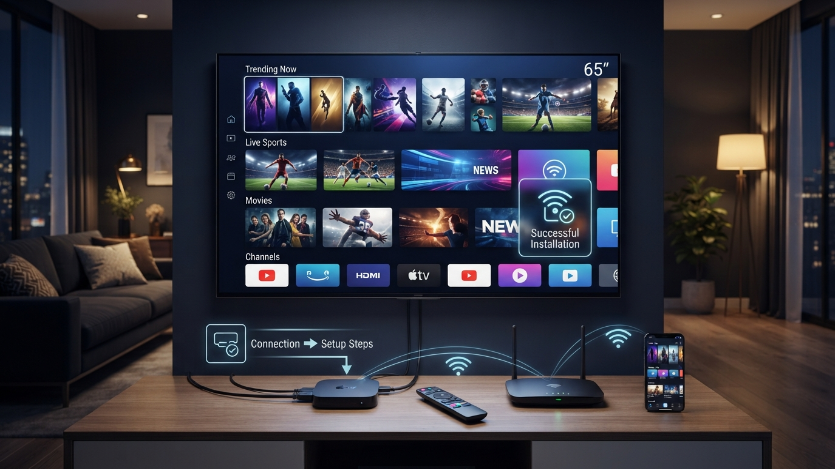
A monthly subscription has the lowest commitment. It gives you enough time to examine normal performance, support responsiveness, channel organization, EPG reliability, and application stability.
A longer subscription may provide better value after the service has been tested. It can also reduce the need to complete frequent renewals.
The disadvantage is that a long plan exposes more money if your device later proves incompatible or if the required content does not match your expectations. It is therefore better to begin with testing or a shorter term rather than selecting twelve months solely because the monthly equivalent appears lower.
A 12 month CatchON TV subscription is most suitable for a customer who has already used the service successfully, understands the renewal terms, and is satisfied with the available content and support process.
Device and Application Costs
An IPTV subscription and an IPTV player are separate components. The subscription provides the account or playlist data, while the application organizes and plays that content.
Popular device categories include:
- Amazon Fire TV and Firestick devices.
- Android TV televisions and boxes.
- Samsung and LG Smart TVs using compatible players.
- Android phones and tablets.
- iPhone, iPad, or Apple TV using a supported application.
- Windows and macOS computers.
Application availability can vary by operating system, app store, region, and device model. A player available on one Samsung television may not be available on an older model.
The site provides device tutorials for Firestick, Android devices, and Smart TVs. Follow the instructions associated with your order instead of downloading an unrelated application from an unknown website.
Use the CatchON TV installation tutorial to identify the appropriate setup method for your device.
Internet Requirements
Streaming performance depends on your internet connection, Wi-Fi strength, device hardware, application, stream resolution, server conditions, and local network congestion.
A speed test should be performed on the streaming device itself. A fast result on a phone beside the router does not prove that a television in another room receives the same connection quality.
Ethernet is generally more stable than Wi-Fi when the device supports it. When Ethernet is unavailable, use a strong 5 GHz Wi-Fi signal and reduce the distance between the device and router.
Higher-resolution streams require more bandwidth and stronger device decoding. The presence of a 4K label does not guarantee that every channel, event, device, or application will deliver 4K playback.
Trial and Testing Considerations
The site contains references to trial availability, but public wording about the exact duration, price, and conditions is not fully consistent across all pages. Confirm the current trial terms with support before submitting payment information.
A useful test should answer practical questions:
- Does the service load on your exact device model?
- Does the recommended application accept the provided login format?
- Are your essential channel categories available?
- Does the EPG load for the channels you use?
- Does the remote control navigate the application correctly?
- Is playback acceptable during evening or major-event hours?
- Can support resolve login or setup problems?
A test is not valuable when it is performed only for a few minutes on a phone while the intended device is a television. Test the complete setup you plan to use after purchase.
Additional Costs to Consider
The displayed subscription price may not represent the complete streaming setup cost. Depending on your situation, additional expenses can include an IPTV player activation fee, replacement streaming device, Ethernet adapter, upgraded router, or additional connection.
A VPN is not automatically required for every IPTV setup. It may affect speed, location detection, and access behavior. Do not purchase one solely because a generic guide says every user needs it.
Payment processing or currency conversion charges can also appear depending on the payment method and card provider. Review the final total before completing any transaction.
How to Purchase the Correct Plan
Confirm your main device
Identify the exact model and operating system. “Smart TV” is too broad because Samsung, LG, Android TV, Roku TV, and Fire TV use different software environments.
Check the installation method
Open the CatchON TV setup guide and verify that the recommended application can be installed on your device.
Review the channel categories
Use the CatchON TV channel list as a starting point. Contact support when a specific local station, league, language, or international category is essential.
Select the connection count
Count simultaneous viewers rather than installed devices. Choose one connection for one active stream, two for two simultaneous streams, and additional connections only when needed.
Select the subscription duration
Start with the shortest practical term until compatibility and performance have been confirmed. Consider a long plan only after the service has worked reliably for your normal use.
Review the final amount
Check the duration, connection count, device, email address, payment method, and displayed total before submitting the order.
Save the order information
Keep the confirmation email, payment receipt, login credentials, server details, renewal date, and support contact in a secure location.
Common Pricing Questions
Why can two CatchON TV customers pay different totals?
They may have selected different durations, connection counts, promotions, currencies, or payment methods. One customer might purchase one connection for one month while another chooses several connections for a full year.
Is the longest plan always the cheapest?
It may have the lowest effective monthly price, but it requires the highest commitment. It is not the best financial choice when compatibility has not been tested.
Does one connection mean one device?
Usually, it means one active stream. The application may be installed on more than one device, but simultaneous viewing is limited by the selected connection count.
Are application fees included?
Not necessarily. Third-party IPTV applications may have their own activation or subscription charges. Verify the player cost separately.
Conclusion: How Much Does CatchON TV Cost?
The answer to how much does CatchON TV cost depends on the selected duration, number of simultaneous connections, device setup, application, and any additional hardware required.
Begin by checking compatibility and required channel categories. Use a short plan or confirmed testing option before committing to a longer subscription, especially when you have not previously used the service on your intended device.
Review the current CatchON TV subscription page, confirm the final total, and select only the connection count and duration your household needs.
Frequently Asked Questions
How much does CatchON TV cost for one month?
The current amount should be checked on the live subscription page because prices and promotions can change. Confirm that the displayed price matches the selected connection count before paying.
Does CatchON TV charge per device?
Plans are generally structured around active connections rather than the number of installations. Multiple devices may require additional connections only when they will stream simultaneously.
Is a twelve-month CatchON TV plan cheaper?
A longer plan may reduce the effective monthly cost. It also requires a larger upfront commitment, so compatibility and channel availability should be tested first.
Can I test CatchON TV before purchasing a long plan?
Trial availability and conditions should be confirmed directly through the current site or support team. Verify whether the test is paid or free, its duration, and which features are included.
Do I need to pay for an IPTV application?
Some applications are free, while others charge a one-time activation or recurring fee. This cost can be separate from your CatchON TV subscription.
Can I use one subscription on two televisions?
You may need two active connections when both televisions will stream simultaneously. One connection may be sufficient when only one device is used at a time.
What should I verify before choosing a plan?
Confirm your device model, application, login method, channel requirements, EPG behavior, connection count, internet quality, payment total, and support contact.
