
Customers searching how to pay for CatchON TV usually need more than a payment button. They want to know which plan to choose, what information the order form requires, which payment methods are currently supported, when activation begins, and how to avoid sending money for the wrong duration or connection count.
The current CatchON TV order page uses a form-based process. The customer selects a new subscription or renewal, enters contact information, chooses a device, connection count, duration, and payment method, then submits the form. The page states that payment instructions are sent by email and that login details are delivered after payment is confirmed.
The site’s FAQ currently identifies PayPal and credit card payments through Stripe. Payment options can change, so the method displayed in the live order process and the instructions received from the site should be treated as current.
Open the verified order page: Use the CatchON TV subscription form and confirm the selected plan, price, device, and payment method before submitting any payment.
Table of Contents
- What to Check Before Payment
- How to Pay for CatchON TV in Seven Steps
- Payment Methods Compared
- How Plan Choices Change the Total
- How to Verify a Payment Request
- Activation After Payment
- Refund and Cancellation Considerations
- Payment Problems and Solutions
- Secure Checkout Checklist
- Conclusion
- Frequently Asked Questions
What to Check Before Payment
A payment should only be made after the order details are complete. The most important fields are the subscription duration, number of simultaneous connections, device type, customer email, and total amount.
Do not choose the connection count by counting every device in the home. Choose it by counting the maximum number of active streams expected at the same time. One person watching on one screen generally needs one connection, while two independent viewers normally need two.
Confirm the exact device because setup can differ between Firestick, Android TV, Samsung TV, LG TV, Apple devices, phones, and computers. Correct device information helps the provider send the appropriate installation method.
Review the current channel categories before paying when a specific local station, sports feed, language, or international package determines the purchase. Channel and 4K availability can vary by source, plan, device, application, location, and internet connection.
How to Pay for CatchON TV in Seven Steps
Select a New Subscription or Renewal
Choose the correct order type. A new subscription creates a new service period, while a renewal extends an existing account. When renewing, use the same customer information requested by support so the payment can be matched to the correct account.
Choose the Connection Count
Select the number of streams that may be active simultaneously. Extra connections increase the total, so purchase only what the household needs.
Choose the Duration
The order page commonly presents one-, three-, six-, and twelve-month options. A longer plan can reduce the effective monthly cost, but it also creates a larger upfront commitment.
New customers should not choose twelve months solely because the monthly average appears lower. First confirm the app, channel requirements, EPG, normal playback, and support process.
Enter Accurate Customer Details
Use your real name and an email address you control. Check the spelling twice because payment instructions and activation credentials may be sent to that address.
Avoid entering sensitive passwords in general order notes. The provider does not need your email password, banking password, social-media login, or device account password to activate a streaming subscription.
Select the Displayed Payment Method
The current order form includes PayPal and credit card choices, and the FAQ refers to card payments through Stripe. Select the method you intend to use, then wait for the payment instructions connected to that order.
Do not assume that a payment address copied from an old message is still valid. Payment recipients and processor links can change.
Verify the Payment Email
Compare the email with the order you submitted. The message should correspond to the correct brand, plan duration, connection count, amount, and customer email.
A third-party payment processor may use a different domain from the merchant website. That is not automatically a problem, but unexplained changes in the amount, recipient, or plan should be clarified before payment.
Pay Once and Save the Receipt
Complete the payment through the confirmed method and keep the transaction reference. Do not send a second payment because activation appears delayed.
After paying, check the inbox and spam folder for confirmation or login details. Contact support with the order email and transaction reference if the expected message does not arrive.
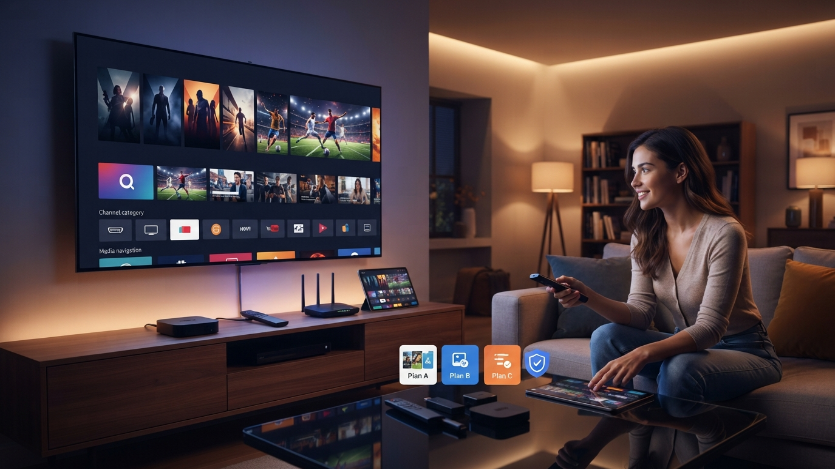
Payment Methods Compared
| Payment Method | Main Advantage | What to Verify | Common Problem | Practical Response |
|---|---|---|---|---|
| PayPal | Familiar account-based checkout and transaction record | Correct recipient, amount, currency, and order reference | Payment pending or sent to an outdated address | Wait for status, then contact support with the transaction ID |
| Credit card through Stripe | Direct card checkout without sharing card data by email | Secure processor page, final amount, and statement descriptor | Bank declines an online or international transaction | Confirm card details and contact the bank |
| Renewal payment | Extends an existing service | Correct username or customer email and expiration period | Payment attached to the wrong account | Provide the existing account identifier and receipt |
| Manual payment instructions | Connects a form submission to a specific order | Domain, seller identity, amount, and written plan details | Unclear recipient or changed total | Do not pay until the discrepancy is explained |
The payment method should not be the only decision factor. The correct duration, connection count, device compatibility, and channel requirements matter more than completing checkout quickly.
Reduce risk before a larger payment: Test the intended device and essential content before selecting a longer subscription. A short commitment costs more per month in some cases, but it provides useful evidence before a six- or twelve-month purchase.
How Plan Choices Change the Total
The duration affects both the upfront amount and the commitment period. A one-month plan offers flexibility, while a longer plan can provide a lower effective monthly cost.
The number of simultaneous connections also changes the price. A household that needs three active screens should not buy one connection and expect three people to watch at once. Conversely, a solo viewer does not need to pay for five connections merely because several devices are available.
Third-party application costs can be separate. Some IPTV players are free, some require a one-time activation, and others use a recurring subscription. Verify the player cost before calculating the complete setup budget.
Additional hardware may also affect the total. An older television could require a streaming stick, Android TV box, Ethernet adapter, or updated router. These are not normally part of the IPTV subscription price.
How to Verify a Payment Request
Begin from the domain you deliberately entered rather than a link from an unsolicited message. For this site, the order process should begin from catchontvus.com.
Check that the payment message follows an order you actually submitted. Be cautious when a seller contacts you first, changes the price without explanation, requests payment more than once, or refuses to provide written plan details.
The following information should be consistent:
- Brand or website associated with the order.
- Customer name and email.
- Subscription duration.
- Number of connections.
- Total amount and currency.
- Payment method.
- Transaction reference.
- Activation and support instructions.
Never send a photograph of a full payment card, card security code, online-banking password, email password, or identity document simply to activate a standard subscription. Use the secure payment page provided by the processor.
Activation After Payment
The current order page states that login details are sent after payment confirmation. The activation information may include a username, password, server address, playlist link, activation code, or another format supported by the recommended player.
Check the inbox, promotions folder, and spam folder. Some email providers automatically filter messages containing login details or links.
When credentials arrive, save them securely and follow the CatchON TV setup tutorial. Install only the application or player identified in the order instructions.
Activation delays can occur when the email address is incorrect, the payment remains pending, the transaction cannot be matched to the order, or the order is submitted outside the expected support workflow. Provide the receipt rather than paying again.
Refund and Cancellation Considerations
Read the current refund policy and terms of service before payment. Policy wording, eligibility, technical-resolution requirements, and processing times can change.
A published refund page does not mean every request is automatically approved. Technical problems may first require troubleshooting, and the provider may apply conditions stated in the current policy.
Save a copy or screenshot of the terms that applied on the purchase date. Record the plan, amount, activation date, issue reported, support response, and requested resolution.
Do not rely on generic statements such as “cancel anytime” without checking what cancellation means. It can refer to stopping future renewal rather than reversing a completed fixed-term payment.
Payment Problems and Solutions
No Payment Email Arrives
Check the spam and promotions folders, then verify the email address entered in the form. Contact support using the site’s published page and provide the name, approximate submission time, selected plan, and email address.
Card Payment Is Declined
Check the card number, expiration date, billing details, available funds, and bank security notification. Some banks block online or international transactions until the customer confirms them.
Do not repeatedly submit the card if several attempts are pending. Check the bank account first to avoid duplicate authorizations.
PayPal Payment Is Pending
A pending status is not the same as a completed payment. Wait for PayPal to update the transaction and send the transaction ID to support when necessary.
Payment Completed but Credentials Are Missing
Verify the inbox and spam folder, then contact the CatchON TV support page. Include the order email, payment method, transaction reference, selected duration, and connection count.
Wrong Plan Was Selected
Contact support immediately before activation or use. Provide the order details and explain the correction needed. Do not place a second order unless support instructs you to do so.
Duplicate Payment Appears
Collect both transaction references and bank or processor records. Contact the merchant first and follow the processor’s dispute process only when the issue cannot be resolved through the documented support channel.
Secure Checkout Checklist
Confirm the exact website domain. Confirm the duration and connection count. Confirm the device and application requirements. Confirm essential channel categories. Confirm the final price and currency.
Use an email address you control. Select the live payment method shown during the current order process. Compare the payment instructions with the submitted order. Pay only once and save the receipt.
After activation, verify the expiration date and test the service on the intended device. Store the credentials securely and avoid sharing them publicly.
Conclusion
The correct answer to how to pay for CatchON TV is not simply “use PayPal” or “use a card.” The safer process is to build a complete order, verify the duration, simultaneous connections, device, total, payment recipient, and written activation steps, then pay once through the current method displayed by the site.
Keep the receipt and order email. Confirm credentials before assuming activation has failed, and use the published support channel when a payment cannot be matched or a message does not arrive.
Open the CatchON TV checkout form, compare the current choices, and complete payment only after every order detail matches your requirements.
Frequently Asked Questions
What Payment Methods Does CatchON TV Accept?
The site’s current FAQ identifies PayPal and credit card payments through Stripe, and the order form displays PayPal and credit card choices. Verify the live checkout because options can change.
Does CatchON TV Take Payment Directly on the Order Page?
The current order page states that the customer submits the form and receives payment information by email. Follow the instructions attached to the order rather than using an old payment address.
How Long Does Activation Take After Payment?
Activation begins after the payment is confirmed and matched to the order. Timing can vary. Check email folders and contact support with the transaction reference if credentials do not arrive.
Can I Pay for a CatchON TV Renewal?
Yes, the order form includes a renewal option. Provide the existing account details requested by support so the payment is applied to the correct subscription.
Is a Player-App Fee Included in the Subscription Price?
Not always. Third-party IPTV players can charge their own activation or subscription fee. Confirm the recommended player and its cost before paying.
What Should I Do if I Paid Twice?
Keep both transaction references and contact support immediately. Do not attempt additional payments while the duplicate issue is being reviewed.
Can I Get a Refund if the Service Does Not Work?
Refund eligibility depends on the current policy and the circumstances. Review the written terms, complete reasonable troubleshooting, and submit the requested transaction and technical information.
Is It Safe to Send My Card Details by Email?
No. Enter card information only on the secure payment processor page. Do not send full card details, security codes, or banking passwords through email or chat.
